The choice of video editing software is big and it is only looking to get bigger. We have a fantastic choice of video editors for the most popular OS and even an excellent editor for Linux. Mobile video editing only keeps getting better and is cheap enough for any blogger to get started with video editing, although editing on a handheld mobile phone is always going to be tricky, obviously much better on a tablet. Some of these editors have been around for decades and so are very stable and have a lot of features added to them over the years.
There are many more editors than the ones listed here, but I think you will agree these are 16 of the best or at least the most popular.
| Name | Platform | Listing |
|---|---|---|
| Adobe | Desktop | Premiere Pro CC |
| Adobe | Desktop | Premier Elements 2023 |
| Apple | Desktop/Mobile | Apple iMovie |
| Avid | Desktop | Avid Media Composer |
| Corel (Alludo) | Desktop | VideoStudio 2023 |
| Techsmith | Desktop | Camtasia Video Editor |
| PowerDirector | Mobile | Cyberlink Video Editor |
| Black Magic Design | Desktop | DaVinci Resolve 18 |
| EaseUS | Desktop | EaseUS Video Editor |
| Wondershare | Desktop | Filmora 9 Video Editor |
| Apple | Desktop | Final Cut Pro X |
| FXhome | Desktop | HitFilm Video Editor |
| KineMaster | Mobile | Kinemaster Video Editor |
| LWKS | Desktop | Lightworks Video Editor |
| pinnacle | Desktop | Pinnacle Video Editor |
| Movavi | Desktop | Movavi Video Suite |
1. Adobe Premiere Pro CC
Windows, macOS
Adobe Premiere Pro CC is a professional-grade video editing software widely used in the film and television industry.

It offers a comprehensive set of features and tools for video editing, colour correction, audio editing, and visual effects.
With its intuitive interface and seamless integration with other Adobe Creative Cloud applications, Premiere Pro CC allows for efficient and collaborative editing workflows.
It supports a wide range of file formats and offers advanced video editing capabilities like multicam editing, 3D editing, and VR video editing.
Good points about Adobe Premiere Pro CC
- Comprehensive set of features and tools for professional-grade video editing.
- Seamless integration with other Adobe Creative Cloud applications.
- Wide range of file format support and advanced video editing capabilities.
Bad points about Adobe Premiere Pro CC:
- Steep learning curve for beginners.
- High system requirements for optimal performance.
- Subscription-based pricing may be costly for some users.
How much is Premiere Pro?

Adobe Premier Pro Pricing
$20.99 per month
2. Adobe Premiere Elements
Windows, macOS
Adobe Premiere Elements is a user-friendly video editing software designed for beginners and enthusiasts.

It provides a simplified interface and guided editing tools, making it easy to create and edit videos.
Premiere Elements offers features like automated editing options, intelligent video editing, and easy sharing on social media platforms.
It also includes basic video effects, transitions, and audio editing capabilities.
Good points about Adobe Premiere Elements:
- User-friendly interface and guided editing tools make it accessible for beginners.
- Automated editing options and intelligent video editing features streamline the editing process.
- Easy sharing on social media platforms and basic video effects and transitions.
Bad points about Adobe Premiere Elements:
- Limited advanced editing features compared to professional-grade software.
- May lack some advanced audio editing capabilities.
- Subscription-based pricing model may not be suitable for all users.

Adobe Premiere Elements Pricing
$86.56 purchase outright
3. Apple iMovie:
macOS
iMovie is a user-friendly video editing software exclusively available for Apple devices.

It offers a simple and intuitive interface, allowing users to create professional-looking videos with ease.
iMovie provides basic editing tools, video effects, transitions, and audio editing features.
It supports 4K resolution and offers seamless integration with other Apple applications like Final Cut Pro X.
Good points about Apple iMovie:
- Simple and intuitive interface, ideal for beginners and Apple device users.
- Basic editing tools, video effects, and transitions for creating professional-looking videos.
- Seamless integration with other Apple applications like Final Cut Pro X.
Bad points about Apple iMovie:
- Limited advanced editing features compared to professional software.
- Availability restricted to Apple devices only.
- May lack some advanced audio editing capabilities.
Apple iMovie Pricing
Free
4. Avid Media Composer
Windows, macOS
Avid Media Composer is a professional video editing software widely used in the film and television industry.

It offers advanced editing tools, collaborative workflows, and powerful media management capabilities.
Media Composer supports high-resolution video editing, colour grading, visual effects, and audio post-production.
It provides extensive format support and integration with other industry-standard tools.
Good points about Avid Media Composer:
- Advanced editing tools and powerful media management capabilities.
- Industry-standard software widely used in the film and television industry.
- Extensive format support and integration with other post-production tools.
Bad points about Avid Media Composer:
- Steeper learning curve for beginners.
- Higher price point compared to some other video editing software.
- Requires a powerful computer system for optimal performance.

Avid Medi Composer Pricing
Free to $23.99 per month
5. Camtasia
Windows, macOS
Camtasia is a versatile video editing and screen recording software suitable for creating tutorials, presentations, and online courses.

It offers an easy-to-use interface, screen recording capabilities, video effects, transitions, and audio editing features.
Camtasia also provides options for adding quizzes, annotations, and interactive elements to videos.
Good points about Camtasia:
- Versatile software for creating tutorials, presentations, and online courses.
- Easy-to-use interface and screen recording capabilities.
- Video effects, transitions, and audio editing features for enhancing video content.
Bad points about Camtasia:
- May lack some advanced video editing features found in dedicated video editing software.
- Limited scope for complex visual effects and advanced post-production workflows.
- Higher price point compared to some other entry-level video editing software.

6. Corel VideoStudio Ultimate
Windows
Corel VideoStudio Ultimate is a feature-rich video editing software that combines ease of use with powerful editing tools.

It offers a variety of creative effects, transitions, and filters, as well as advanced features like multi-camera editing, 360-degree video editing, and motion tracking.
VideoStudio Ultimate also includes a library of royalty-free music, templates, and customizable intros and outros.
Good points about Corel VideoStudio Ultimate:
- Feature-rich software with a balance of ease of use and powerful editing tools.
- Wide range of creative effects, transitions, and filters for enhancing videos.
- Advanced features like multi-camera editing, 360-degree video editing, and motion tracking.
Bad points about Corel VideoStudio Ultimate:
- User interface may feel overwhelming for beginners.
- Occasional stability issues reported by some users.
- Limited third-party plugin support compared to other professional software.

7. CyberLink PowerDirector
Windows
CyberLink PowerDirector is a comprehensive video editing software suitable for both beginners and advanced users.

It offers a user-friendly interface, fast rendering speeds, and a wide range of editing tools and effects.
PowerDirector supports 360-degree video editing, motion tracking, colour grading, and advanced audio editing.
It also includes features like AI-powered editing, 4K video support, and easy sharing options.
Good points about CyberLink PowerDirector :
- Comprehensive video editing software suitable for beginners and advanced users.
- User-friendly interface and fast rendering speeds for efficient editing workflows.
- Wide range of editing tools, effects, and transitions for creative flexibility.
Bad points about CyberLink PowerDirector:
- Some advanced features may require upgrading to the more expensive versions.
- Occasional performance issues when dealing with large projects.
- User interface may feel cluttered due to the abundance of features.

8. DaVinci Resolve 18
Windows, macOS, Linux
DaVinci Resolve is a professional video editing software known for its advanced colour correction and grading capabilities.

It offers a comprehensive set of editing tools, visual effects, and audio post-production features.
DaVinci Resolve is widely used in the film and television industry for its industry-standard colourgrading capabilities and seamless integration with other post-production tools.
Good points about DaVinci Resolve:
- Professional-grade software known for its advanced colour correction and grading capabilities.
- Extensive set of editing tools, visual effects, and audio post-production features.
- Seamless integration with other post-production tools and industry-standard workflows.
Bad points about DaVinci Resolve:
- Steeper learning curve, particularly for beginners.
- Higher system requirements for optimal performance.
- Some features and advanced capabilities are exclusive to the paid Studio version.

DaVinci Resolve Pricing
Free to use
Buy outright with full features $295
9. EaseUS Video Editor
Windows
EaseUS Video Editor is a user-friendly video editing software that offers basic editing tools and effects.
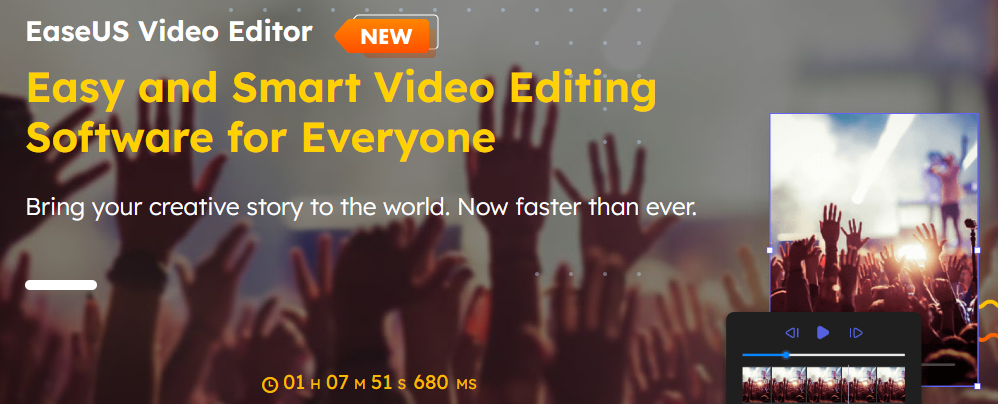
It allows users to trim, cut, merge, and adjust video clips easily.
EaseUS Video Editor provides features like video transitions, filters, text overlays, and background music.
It supports various video formats and offers options for exporting videos in different resolutions.
Good points about EaseUS Video Editor:
- User-friendly video editing software with a straightforward interface.
- Basic editing tools and effects for simple video editing tasks.
- Support for various video formats and options for exporting videos in different resolutions.
Bad points about EaseUS Video Editor:
- Limited advanced editing features compared to professional-grade software.
- May lack some advanced audio editing capabilities.
- Occasional performance issues reported by users.

10. Filmora 9
Windows, macOS
Filmora 9 is a popular video editing software known for its simplicity and user-friendly interface.

It offers a wide range of editing tools, effects, transitions, and overlays.
Filmora 9 supports 4K video editing, screen recording, and easy sharing options.
It also provides a built-in library of royalty-free music, sound effects, and video elements.
Good points about Filmora 9:
- Popular video editing software known for its simplicity and user-friendly interface.
- Wide range of editing tools, effects, transitions, and overlays for creative video editing.
- Supports 4K video editing, screen recording, and easy sharing options.
Bad points about Filmora 9:
- Some advanced features may require upgrading to the more expensive versions.
- Limited scope for complex visual effects and advanced post-production workflows.
- Occasional performance issues when dealing with large and complex projects.

11. Final Cut Pro X
macOS
Final Cut Pro X is a professional video editing software exclusively available for macOS.

It offers a wide range of advanced editing tools, effects, and transitions.
Final Cut Pro X supports high-quality video formats, 360-degree video editing, and HDR video.
It provides a seamless workflow with Apple’s ecosystem, allowing for efficient editing, audio post-production, and colour grading.
Final Cut Pro X also includes powerful organization and media management features, making it a popular choice among professional video editors.
Good points about Final Cut Pro X:
- Professional video editing software exclusively available for macOS, offering a seamless workflow within Apple’s ecosystem.
- Wide range of advanced editing tools, effects, and transitions for creating high-quality videos.
- Supports high-quality video formats, 360-degree video editing, and HDR video.
Bad points Final Cut Pro X:
- Limited availability only for macOS, which restricts access for Windows or other operating systems.
- Higher price point compared to some other video editing software options.
- Steeper learning curve for beginners, requiring time to master its advanced features.


Final Cut Pro Pricing
Free to try for 90 days
Buy outright: $299
12. HitFilm
Windows, macOS
HitFilm is a powerful video editing and visual effects software.

It combines professional-grade editing tools with advanced visual effects capabilities.
HitFilm offers a range of effects, compositing tools, and 3D animation features.
It allows for seamless integration between editing and visual effects workflows, making it a comprehensive solution for filmmakers and content creators.
Good points about Hitfilm:
- Powerful video editing and visual effects software, combining professional-grade editing tools with advanced visual effects capabilities.
- Offers a wide range of effects, compositing tools, and 3D animation features for creating visually stunning videos.
- Allows seamless integration between editing and visual effects workflows, providing a comprehensive solution for filmmakers and content creators.
Bad points about Hitfilm:
- Advanced features may require a more powerful computer setup for smooth performance.
- The learning curve can be steep, especially for users new to visual effects and compositing.
- The free version has some limitations, with more advanced features available in the paid version.

13. KineMaster
iOS, Android
KineMaster is a professional mobile video editing app with advanced features for iOS and Android OS.

It offers multi-layer video editing, chroma key compositing, and precise control over audio and video elements.
KineMaster provides a wide range of visual effects, transitions, and animation options.
It also supports 4K video editing and offers easy sharing options for social media platforms.
Good points about KineMaster:
- Professional mobile video editing app with advanced features for multi-layer editing, chroma key compositing, and precise control over audio and video elements.
- Offers a wide range of visual effects, transitions, and animation options for creating polished videos.
- Supports 4K video editing and provides easy sharing options for social media platforms.
Bad points about KineMaster:
- Some advanced features may require a subscription or in-app purchases.
- The free version includes a watermark on exported videos.
- Occasional performance issues reported by users, particularly on older or less powerful devices.

14. Lightworks
Windows, macOS, Linux
Lightworks is a professional video editing software available for both Windows and macOS.

It offers a comprehensive set of editing tools, advanced effects, and real-time collaboration features.
Lightworks supports high-resolution video editing, multi-camera editing, and a wide range of file formats.
It has been used in the production of numerous films and television shows.
Good points about Lightworks:
- Professional video editing software available for both Windows and macOS.
- Offers a comprehensive set of editing tools, advanced effects, and real-time collaboration features.
- Supports high-resolution video editing, multi-camera editing, and a wide range of file formats.
Bad points about Lightworks:
- The free version has some limitations, with more advanced features available in the paid version.
- The user interface may feel complex for new users, requiring some time to become familiar with its features.
- Occasional stability issues reported by some users, requiring periodic software updates.

Lightworks Video Editor Pricing
Free
$9.99 per month
$23.99 per month
15. Pinnacle
Windows, macOS
Pinnacle Studio is a popular video editing software that offers a comprehensive set of features and tools for both beginners and advanced users. It provides a user-friendly interface and a range of editing options to create professional-looking videos.

One of the standout features of Pinnacle Studio is its intuitive timeline editing interface, which allows users to easily arrange and edit video clips, add transitions, apply effects, and adjust audio. The software supports multi-camera editing, making it a great choice for users working with footage from multiple angles.
Pinnacle Studio offers a wide range of built-in effects, filters, and transitions to enhance your videos. It also includes a library of royalty-free music and sound effects to add a professional touch to your projects. Additionally, the software provides advanced features like colour grading, motion tracking, and 360-degree video editing, allowing users to create immersive and visually stunning videos.
One of the drawbacks of Pinnacle Studio is that some advanced features may require additional purchases or upgrades to access. While the software is relatively easy to use, beginners may find the learning curve slightly steep compared to other entry-level video editing software.
In conclusion, Pinnacle Studio is a powerful video editing software that offers a wide range of features and tools for creating impressive videos. Whether you’re a beginner or an experienced editor, Pinnacle Studio provides the necessary tools to bring your creative vision to life.
Good Points about Pinnacle Video Editing Software:
- Pinnacle Studio features a user-friendly interface that makes it easy for beginners to get started with video editing. The software offers a straightforward timeline-based editing system, intuitive controls, and drag-and-drop functionality, allowing users to quickly arrange and edit their video clips.
- Pinnacle Studio provides a comprehensive set of advanced editing features that cater to the needs of more experienced users. It offers multi-camera editing, motion tracking, 360-degree video editing, and keyframe animation capabilities. These features enable users to create professional-looking videos with precise control over effects, transitions, and audio.
- Pinnacle Studio includes a vast library of built-in effects, filters, and transitions. Users have access to a wide variety of creative options to enhance their videos and add visual interest. Additionally, the software offers a range of customizable templates and presets, making it easy to achieve professional results without extensive manual editing.
Bad Points about Pinnacle Video Editing Software:
- While Pinnacle Studio is designed to be user-friendly, it may have a slightly steep learning curve, especially for beginners who are new to video editing software. The extensive features and advanced capabilities may take some time and practice to master fully.
- Pinnacle Studio is primarily designed for Windows operating systems, which limits its availability for users on other platforms such as macOS or Linux. This can be a disadvantage for users who prefer or exclusively work with non-Windows systems.
- Pinnacle Studio can be resource-intensive, particularly when working with high-resolution videos or applying complex effects. Users may experience slower performance or longer rendering times, especially if their hardware does not meet the recommended specifications. It’s important to ensure that your computer meets the system requirements to avoid potential performance issues.
It’s worth noting that these points may vary depending on the specific version and release of Pinnacle Studio, as software updates and revisions can address certain drawbacks and improve overall user experience.

Pinnacle Studio Pricing
Free for 15 days
$44.99
16. Movavi
For Windows and Mac
Movavi is a versatile and user-friendly video editing software that caters to both beginners and intermediate users. With its intuitive interface and comprehensive set of features, it allows users to create professional-looking videos with ease.

One of the standout features of Movavi is its wide range of editing tools and effects. It offers essential editing functions such as trimming, cutting, and merging videos, as well as advanced options like chroma keying, picture-in-picture, and slow-motion effects. Users can also enhance their videos with filters, transitions, and text overlays to add creative flair.
Movavi supports a variety of video formats, making it convenient for working with different sources. It also provides a seamless timeline-based editing workflow, allowing users to arrange and organize their video clips effortlessly. Additionally, the software offers a built-in collection of royalty-free music and sound effects, enabling users to enhance their videos with appropriate audio tracks.
Another notable aspect of Movavi is its fast rendering and exporting capabilities. Users can preview their edits in real time and quickly export the final video in various formats or directly upload them to popular social media platforms.
However, Movavi does have a few limitations. Some advanced features, such as 3D editing or motion tracking, are not available in the software. Additionally, while the software provides a decent range of editing tools, it may not have the same level of precision and sophistication as some professional-grade video editing software.
Overall, Movavi is an excellent choice for users looking for user-friendly and feature-rich video editing software. Whether you’re a beginner or an intermediate user, Movavi offers a powerful yet accessible editing platform to bring your creative vision to life.
Good Points about Movavi Video Editing Software:
- Movavi Video Editing Software offers a user-friendly interface that is easy to navigate, making it accessible for beginners. The software provides intuitive controls and a simple timeline-based editing system, allowing users to quickly edit and arrange their video clips.
- Movavi offers a diverse collection of effects, filters, transitions, and titles that users can apply to their videos. This extensive library allows for creative customization, enabling users to enhance the visual appeal of their videos and make them more engaging.
- Movavi Video Editing Software is known for its efficient rendering and exporting capabilities. The software utilizes hardware acceleration technologies to optimize the rendering process, ensuring that users can quickly generate their final videos in various formats and resolutions.
Bad Points about Movavi Video Editing Software:
- While Movavi provides a solid set of basic editing tools, it may lack some advanced features that are available in more professional-grade software. Users seeking in-depth control over complex editing techniques or advanced effects may find Movavi’s capabilities to be somewhat limited.
- Some users have reported occasional stability issues with Movavi Video Editing Software, such as crashes or freezing during the editing process. While these issues may not be widespread, it is recommended to regularly save projects and ensure that the software is running on a stable system configuration.
- Movavi’s audio editing capabilities are relatively basic compared to other video editing software. While users can perform essential tasks like adjusting volume levels and adding background music, they may find the software lacking more advanced audio editing features, such as detailed equalization or noise reduction.
It’s important to note that the specific features, capabilities, and drawbacks may vary depending on the version and edition of Movavi Video Editing Software being used.

Movavi Pricing
Basic $54.95
1-Year $79.95
Video Suite 1 year $99.95
Conclusion:
We are truly spoilt when it comes to video editing on the desktop and on mobile. The software available is relatively inexpensive and does the primary job well. Each video editing software focuses on specific aspects of editing, be it colouring to special effects. The power editors will satisfy the most hungry of editors and are used to create multi-million dollar motion pictures. Compared to ten years ago we are truly living in a golden age of video editing and it only looks to be getting more interesting.
| Name | Platform | Listing |
|---|---|---|
| Adobe | Desktop | Premiere Pro CC |
| Adobe | Desktop | Premier Elements 2023 |
| Apple | Desktop/Mobile | Apple iMovie |
| Avid | Desktop | Avid Media Composer |
| Corel (Alludo) | Desktop | VideoStudio 2023 |
| Techsmith | Desktop | Camtasia Video Editor |
| PowerDirector | Mobile | Cyberlink Video Editor |
| Black Magic Design | Desktop | DaVinci Resolve 18 |
| EaseUS | Desktop | EaseUS Video Editor |
| Wondershare | Desktop | Filmora 9 Video Editor |
| Apple | Desktop | Final Cut Pro X |
| FXhome | Desktop | HitFilm Video Editor |
| KineMaster | Mobile | Kinemaster Video Editor |
| LWKS | Desktop | Lightworks Video Editor |
| pinnacle | Desktop | Pinnacle Video Editor |
| Movavi | Desktop | Movavi Video Suite |


