• Skip to main content
  • Skip to primary sidebar
  • Skip to footer

Cornwall SEO

Content Marketing Blog

Content Creation

Ultimate Guide to Content Writing

July 16, 2024 By Lyndon Antcliff

Introduction

This guide is something I wish I had when I started writing content and managing other content writers. It aims to cover as much as possible to give a good look at the fantastic job of content writing.

In today’s digital age, content writers play a vital role in shaping the way we consume information online.

This comprehensive guide will delve into who content writers are, the various types of content they create, the essential skills they possess, and the tools they use to craft engaging content.

Whether you’re considering a career in content writing or simply curious about what they do, this guide will provide valuable insights into the world of content writing and its growing importance in the digital landscape. Join us as we explore the intricacies of this dynamic profession and discover why content writers are crucial to the success of businesses and online platforms.

What is a Content Writer?

A content writer is a professional who crafts engaging, informative, and valuable written content for various platforms, primarily online. They create articles, blog posts, website pages, social media updates, product descriptions, and more. The main goal of a content writer is to inform, entertain, or persuade readers while also helping businesses achieve their marketing objectives.

Content writers often start by researching their topic thoroughly to ensure accuracy and depth. They need to understand the target audience and write in a way that resonates with them, whether the tone needs to be formal, casual, or somewhere in between. A strong command of language, grammar, and style is essential.

In addition to writing skills, content writers must be familiar with Search Engine Optimization (SEO) techniques. This involves using specific keywords and phrases that help their content rank higher in search engine results, making it more likely to be found by readers.

Content writers also need to be adaptable, as they might write about a wide range of topics and for different types of clients. They often collaborate with other professionals, such as marketers, designers, and editors, to ensure the content aligns with the overall brand strategy.

In essence, a content writer is a versatile and skilled communicator who plays a crucial role in the digital marketing landscape.

How Important is Content Writing in 2024?

Content writing continues to be a cornerstone of digital marketing and online engagement in 2024. As the digital landscape evolves, the importance of high-quality content writing has only increased, playing a crucial role in various aspects of online presence and business growth. Here are several key reasons why content writing remains vital in 2024:

1. Enhancing SEO and Search Rankings

  • High-quality content is essential for search engine optimization (SEO). Well-written articles, blog posts, and website pages that incorporate relevant keywords help improve search engine rankings, making it easier for potential customers to find businesses online .

2. Building Brand Authority and Trust

  • Consistently publishing authoritative and informative content helps establish a brand as an expert in its field. This builds trust with the audience, which is critical for customer retention and loyalty .

3. Engaging and Retaining Audiences

  • Engaging content keeps visitors on a website longer and encourages them to return. Interactive and valuable content, such as blogs, tutorials, and how-to guides, helps retain audience interest and fosters a loyal readership .

4. Supporting Content Marketing Strategies

  • Content writing is a key component of broader content marketing strategies. It supports various initiatives, including email marketing, social media campaigns, and content partnerships, all of which drive traffic and generate leads .

5. Adapting to Multimedia Trends

  • While video and multimedia content are increasingly popular, written content remains foundational. Written scripts for videos, podcasts, and infographics require skilled content writers to ensure clarity and coherence .

6. Personalisation and Customer Experience

  • Personalised content tailored to specific audience segments enhances the customer experience. Content writers use data-driven insights to create customised messages that resonate with different customer personas .

7. Supporting E-commerce and Product Descriptions

  • In the e-commerce industry, well-crafted product descriptions and category pages are essential for converting visitors into buyers. Clear, persuasive writing helps customers make informed purchasing decisions .

Key Skills of a content writer

A content writers responsibilities include researching topics thoroughly to ensure accuracy, writing and editing content to meet the target audience’s needs, and incorporating SEO best practices to improve search engine rankings. They often collaborate with marketing, design, and editorial teams to align content with overall brand strategy.

Additionally, content writers must adapt their writing style to different tones and formats, manage deadlines effectively, and stay updated with industry trends and changes in SEO algorithms.

Research

A content writer’s research involves diving deep into topics to gather accurate and comprehensive information. They start by identifying reliable sources such as academic articles, industry reports, and credible websites. Using tools like Google Scholar and BuzzSumo, they find relevant data and trending topics.

They also analyze keywords using SEO tools like Ahrefs and SEMrush to understand what terms the audience is searching for. This research process helps them create content that is both informative and optimized for search engines. Effective research ensures the content is valuable, credible, and engaging for readers.

Content Editing

A content writer’s editing process is crucial for ensuring clarity, coherence, and quality. They meticulously review their work to correct grammatical errors, improve sentence structure, and enhance readability. This involves checking for consistency in tone and style, ensuring the content aligns with the intended audience and purpose.

They also verify facts and data for accuracy, often using tools like Grammarly and Hemingway to refine their writing. Additionally, content writers remove any fluff or redundancy, ensuring the content is concise and impactful. Effective editing transforms a rough draft into polished, professional content that engages and informs readers.

Collaborating with other teams (e.g., marketing, design)

Content writers frequently collaborate with various teams to produce cohesive and effective content. Working with marketing teams, they align content strategies with broader marketing goals, ensuring consistent messaging across channels. They collaborate with designers to integrate visual elements that complement their writing, enhancing overall engagement. Editors provide feedback to refine and polish content, while SEO specialists guide keyword integration to improve search engine visibility. Additionally, content writers may work with product managers and customer service teams to ensure accurate and relevant information is conveyed. This teamwork ensures that content is well-rounded, on-brand, and effective in reaching its target audience.

Understanding SEO principles

SEO principles are essential for content writers to ensure their work ranks well in search engine results. This involves using relevant keywords strategically throughout the content, including in titles, headings, and meta descriptions. Writers should focus on creating high-quality, valuable content that meets user intent and engages readers. Incorporating internal and external links improves credibility and site navigation.

Additionally, optimizing images with alt text and ensuring fast loading times enhance SEO. Content should be well-structured with clear headings and subheadings, making it easy for search engines to index. Following these principles helps increase visibility and drive organic traffic.

Strong writing abilities

Strong writing abilities are essential for content writers as they directly impact the effectiveness and clarity of the content produced. Writers must convey ideas concisely and persuasively, ensuring the message resonates with the target audience. Clear and grammatically correct writing enhances readability and maintains reader engagement.

Additionally, skilled writers adapt their tone and style based on the content’s purpose and audience, whether it’s informative, promotional, or educational. Strong writing skills also involve structuring content logically with cohesive transitions, making complex information understandable.

Ultimately, proficient writing establishes credibility, enhances brand reputation, and drives the desired action from readers.

Creativity and originality

Creativity and originality are critical for content writers as they enable the development of unique and compelling narratives that capture audience interest. Creative thinking allows writers to approach topics from fresh perspectives, making content stand out amidst the competition.

Originality ensures that the content is not only engaging but also authentic, fostering trust and credibility with readers. Innovative ideas and storytelling techniques help content writers connect emotionally with their audience, driving deeper engagement and loyalty.

Creativity enables writers to adapt to evolving trends and market demands, maintaining relevance and impact in the dynamic digital landscape.

Adaptability to different tones and styles

Adaptability to different tones and styles is crucial for content writers to effectively communicate with diverse audiences across various platforms.

Writers must tailor their voice and language to suit the specific requirements of each project, whether it’s formal, conversational, technical, or humorous.

Adapting tones and styles ensures content resonates with the intended audience, enhancing readability and engagement. It also allows writers to align with brand guidelines and maintain consistency in messaging.

Being versatile in tone and style enables content writers to cater to different demographics and industry sectors, maximizing the impact and relevance of their content.

Types of Content Writers

  1. Blog Writers: Create posts for company or personal blogs, focusing on engaging and informative content.
  2. Copywriters: Craft persuasive content for advertisements, marketing campaigns, and promotional materials.
  3. Technical Writers: Produce instructional manuals, guides, and documentation for technical products and services.
  4. Social Media Writers: Develop engaging posts and content for social media platforms to enhance brand visibility and engagement.
  5. Ghostwriters: Write content that is credited to someone else, often for books, articles, or speeches.
  6. SEO Content Writers: Create content optimized with keywords and phrases to improve search engine rankings and drive traffic to websites.

Each type of content writer specializes in different formats and styles, catering to specific audience needs and business objectives.

Time management and organization

Time management and organization are vital skills for content writers to meet deadlines and maintain productivity. Effective time management ensures writers allocate sufficient time for research, writing, editing, and revisions without compromising quality.

Organisational skills help in managing multiple projects simultaneously, prioritizing tasks, and staying on track with project timelines.

Meeting deadlines is crucial in the fast-paced digital environment, where timely delivery of content contributes to client satisfaction and audience engagement.

Moreover, structured workflows and organized systems streamline processes, reduce stress, and enhance overall efficiency, allowing content writers to consistently produce high-quality content that meets objectives and exceeds expectations.

What is the ideal Process for a Content Writer

  • Topic selection and research
  • Outlining and planning
  • Writing the first draft
  • Editing and proofreading
  • Final revisions
  • Publishing and promoting

Tools and Resources for Content Writers

Writing Tools for Content Writers

Grammarly

Grammarly is a powerful writing assistant that helps improve grammar, punctuation, and style. It provides real-time suggestions and enhances clarity and readability.
Grammarly

Hemingway Editor

Hemingway Editor highlights complex sentences, passive voice, and adverbs to improve readability and overall writing quality.
Hemingway Editor

Scrivener

Scrivener is a writing tool designed for long documents and creative writing projects, offering features like outlining, research organization, and manuscript formatting.
Scrivener

Evernote

Evernote is a note-taking app that allows content writers to capture ideas, organize research, and collaborate on projects across devices.
Evernote

Google Docs

Google Docs is a cloud-based document editor that enables collaborative writing, real-time editing, and seamless integration with other Google Workspace tools.
Google Docs

Microsoft Word

The venerable Microsoft Word is a versatile word processor that offers comprehensive writing and editing features, including formatting, spell check, and collaboration tools. Even though it’s been around for thousands of years it still does what a cotnent writer needs it to do.
Microsoft Word

Research tools

BuzzSumo

BuzzSumo helps content writers discover trending topics, analyze content performance, and identify influential content creators in their niche.
BuzzSumo

These tools support content writers in various aspects of their work, from writing and editing to research, organization, and collaboration.

SEO Tools for Content Writers

Ahrefs

Ahrefs provides comprehensive SEO analysis, including keyword research, backlink analysis, and competitor analysis to improve search engine rankings.
Ahrefs

SEMrush

SEMrush offers SEO analytics, keyword tracking, and competitive research tools to optimize content for better visibility and higher search engine rankings.
SEMrush

Google Keyword Planner

Google Keyword Planner helps content writers discover relevant keywords and estimate search volumes to inform content creation and SEO strategies.
Google Keyword Planner

Moz

Moz offers SEO software tools, including keyword research, site audits, and rank tracking to help content writers improve their SEO efforts.
Moz

Screaming Frog SEO Spider

Screaming Frog SEO Spider is a website crawler tool that assists content writers in analyzing on-page SEO elements and identifying technical issues.
Screaming Frog SEO Spider

Yoast SEO

Yoast SEO is a WordPress plugin that helps content writers optimize their content for SEO, offering readability analysis, content insights, and meta tag management.
Yoast SEO

Google Search Console

Google Search Console provides insights into how Google views your site, including indexing issues, search performance, and mobile usability, essential for content writers to monitor and optimize their content.
Google Search Console

Ubersuggest

Ubersuggest is a keyword research tool that provides keyword ideas, content suggestions, and backlink data to improve SEO and drive organic traffic.
Ubersuggest

AnswerThePublic

AnswerThePublic helps content writers discover questions and queries that people are searching for, enabling them to create content that directly addresses user needs.
AnswerThePublic

SpyFu

SpyFu is a competitive intelligence tool that allows content writers to research competitors’ keywords, ad campaigns, and SEO strategies to inform their own content strategy.
SpyFu

These SEO tools provide valuable insights and data to content writers, helping them optimize their content and improve search engine visibility effectively.

Collaboration tools

Trello

Trello is a project management tool that helps content writers organize tasks, track progress, and collaborate with teams using visual boards and customizable workflows.
Trello

Slack

Slack is a communication platform that facilitates real-time messaging, file sharing, and collaboration among content writing teams and other departments.
Slack

Canva

Canva is a graphic design tool that content writers use to create visually appealing graphics, social media posts, presentations, and marketing materials.
Canva

Content Management Systems (CMS) for Content Writers

WordPress

WordPress is a widely-used CMS that offers flexibility, scalability, and a user-friendly interface for creating and managing websites, blogs, and online stores.
WordPress

Drupal

Drupal is a robust CMS known for its scalability and customization capabilities, suitable for building complex websites and applications with advanced features.
Drupal

Joomla

Joomla is an open-source CMS that combines ease of use with powerful features, making it suitable for creating websites, intranets, and online communities.
Joomla

Magento

Magento is an e-commerce platform that provides content writers with tools to create and manage online stores, including catalog management and customer accounts.
Magento

Shopify

Shopify is a popular e-commerce CMS that simplifies the process of setting up and managing online stores, offering customizable themes and built-in marketing tools.
Shopify

Wix

Wix is a website builder that allows content writers to create professional-looking websites with drag-and-drop functionality, templates, and integrated SEO tools.
Wix

Squarespace

Squarespace is a website builder known for its elegant templates and intuitive design tools, enabling content writers to create visually appealing websites and blogs.
Squarespace

HubSpot CMS

HubSpot CMS offers a content management system integrated with marketing automation tools, enabling content writers to create, optimize, and analyze content for lead generation.
HubSpot CMS

Ghost

Ghost is a CMS specifically designed for bloggers and publishers, offering a minimalistic interface, built-in SEO tools, and membership subscription options.
Ghost

Contentful

Contentful is a headless CMS that allows content writers to create and manage content across multiple channels and devices through a flexible API-first approach.
Contentful

These CMS platforms provide content writers with the tools and flexibility needed to create, manage, and optimize content effectively for various digital platforms and purposes.

AI Writing Tools for Content Writers

ChatGPT by OpenAI

ChatGPT is an advanced AI language model that assists content writers in generating ideas, drafting articles, and refining content with natural language processing capabilities.
ChatGPT by OpenAI

Jasper (formerly Jarvis)

Jasper is an AI writing assistant that helps content writers create high-quality content for blogs, social media, marketing, and more, with customizable templates and SEO optimization.
Jasper

Claude by Anthropic

Claude is an AI language model developed by Anthropic, designed to assist writers with generating coherent, contextually accurate content across various formats, enhancing productivity and creativity.
Claude by Anthropic

Perplexity AI

Perplexity AI is an AI-powered research assistant that helps writers quickly gather and organize information, providing accurate and relevant data to support content creation.
Perplexity AI

Gemini by Google DeepMind

Gemini is an advanced AI developed by Google DeepMind, designed to assist content writers in generating high-quality content with improved coherence, creativity, and factual accuracy.
Gemini by Google DeepMind

Copy.ai

Copy.ai leverages AI to generate engaging marketing copy, blog posts, social media content, and more, helping content writers save time and enhance creativity.
Copy.ai

Writesonic

Writesonic is an AI-powered writing tool that generates SEO-friendly content for blogs, ads, landing pages, and social media, tailored to the writer’s needs.
Writesonic

Rytr

Rytr is an AI writing assistant that creates high-quality content across various formats, including emails, blogs, and social media, with a focus on tone and style adaptability.
Rytr

QuillBot

QuillBot uses AI to paraphrase, summarize, and enhance content, helping writers improve clarity, coherence, and creativity in their writing projects.
QuillBot

Wordtune

Wordtune is an AI writing tool that assists with rewriting and refining sentences, ensuring content is clear, compelling, and aligned with the writer’s intended message.
Wordtune

ShortlyAI

ShortlyAI uses advanced AI to help writers generate long-form content quickly, including articles, stories, and reports, while maintaining coherence and quality.
ShortlyAI

Anyword

Anyword is an AI writing tool designed for marketers, helping them generate and optimize ad copy, email subject lines, and other promotional content to improve engagement.
Anyword

Frase

Frase is an AI content writing and optimization tool that helps writers research topics, create content outlines, and optimize for SEO to improve content performance.
Frase

These AI writing systems assist content writers in various aspects of their work, from generating ideas and drafting to refining and optimizing content for better performance and engagement.

Challenges Faced by Content Writers

Writer’s block

Writer’s block is a condition where a writer struggles to produce new work or experiences a creative slowdown. It can occur due to various reasons, such as stress, perfectionism, lack of inspiration, or fear of failure.

External pressures and distractions can also contribute to this condition.

Quick solutions include taking short breaks to clear the mind, engaging in a different creative activity to spark inspiration, setting small, achievable writing goals, and free writing to overcome mental barriers.

Additionally, changing the writing environment and discussing ideas with others can help rejuvenate creativity and break through the block.

Keeping up with trends

Keeping up with trends is very important for content writers to stay relevant and engage their audience effectively.

This involves regularly researching industry news, monitoring social media platforms, and following influential thought leaders. By staying updated on current events and emerging trends, writers can create timely and topical content that resonates with readers.

Utilizing tools like Google Trends and BuzzSumo helps identify popular topics and keywords. Additionally, attending webinars, reading industry blogs, and participating in professional networks provide insights and inspiration.

Staying informed ensures that content remains fresh, authoritative, and aligned with audience interests, ultimately enhancing engagement and credibility.

Meeting deadlines

Meeting deadlines is crucial for content writers to maintain professional credibility and ensure timely publication. It involves effective time management, prioritization, and organization skills. Writers should break down tasks into manageable segments, set realistic goals, and create a detailed schedule to track progress.

Using project management tools like Trello or Asana can help in organizing tasks and meeting deadlines. Additionally, minimizing distractions, adhering to a routine, and allowing buffer time for unexpected delays are essential practices.

Consistently meeting deadlines builds trust with clients and collaborators, ensuring a steady workflow and contributing to the writer’s reputation for reliability and efficiency.

Balancing quality and quantity

Balancing quality and quantity is a key challenge for content writers. High-quality content is essential for engaging readers, building credibility, and improving SEO rankings. However, producing a large volume of content can increase visibility and reach. Writers must find a middle ground by planning effectively, prioritizing key topics, and setting realistic goals.

Using outlines and templates can streamline the writing process without sacrificing quality. It’s important to maintain consistency, ensuring each piece is well-researched, clear, and valuable. Regularly reviewing and refining the content strategy helps in achieving a balance, ensuring both high standards and a steady output.

Adapting to different niches and industries

Adapting to different niches and industries is essential for content writers to cater to diverse audiences and expand their expertise.

This requires thorough research to understand industry-specific terminology, trends, and target audience needs. Writers must be flexible, quickly learning and adjusting their tone, style, and content approach to suit various sectors, from technology to healthcare.

Engaging with industry experts and consuming relevant media enhances their knowledge base.

Versatility in writing across different niches not only broadens a writer’s skill set but also opens up more opportunities, making them valuable assets to clients seeking specialized content.


References

  1. HubSpot – How to Adapt Your Content Writing for Different Industries
  2. ClearVoice – How to Write for Multiple Industries
  3. Content Marketing Institute – Writing for Different Audiences: How to Adjust Your Content

How to Become a Content Writer

Educational background and qualifications

An educational background in fields like journalism, communications, English, or marketing provides a strong foundation for a content writer.

These disciplines enhance writing skills, understanding of language, and ability to craft compelling narratives. Formal education often includes studying grammar, composition, and various writing styles, which are crucial for professional writing. Additionally, qualifications such as certifications in content marketing, SEO, or copywriting from platforms like HubSpot or Coursera can be beneficial.

While a degree is valuable, a portfolio showcasing diverse writing samples and practical experience often holds significant weight in demonstrating a writer’s capabilities and expertise.


References

  1. HubSpot Academy – Content Marketing Certification
  2. Coursera – Writing in the Sciences
  3. Content Marketing Institute – Essential Skills for Content Writers

Building a portfolio

Building a portfolio is crucial for a content writer to showcase their skills and versatility. It involves compiling a diverse collection of writing samples, including blog posts, articles, social media content, and marketing copy. A strong portfolio highlights different tones, styles, and formats to demonstrate adaptability.

Writers should include work from various niches to appeal to a broad range of potential clients or employers. Hosting a portfolio on a personal website or platforms like LinkedIn enhances accessibility and professional presentation. Regularly updating the portfolio with recent work keeps it relevant, reflecting the writer’s current abilities and achievements.


References

  1. LinkedIn – Showcase Your Work with a Portfolio
  2. Content Marketing Institute – Building a Freelance Writing Portfolio
  3. Creative Boom – How to Build a Writing Portfolio

Networking and finding opportunities

Networking and finding opportunities are essential for content writers to advance their careers. Building a professional network through social media platforms like LinkedIn, attending industry events, and joining writing communities can open doors to new projects and collaborations.

Engaging in discussions, sharing expertise, and seeking mentorship helps establish credibility and connect with potential clients. Writers can also find opportunities by regularly browsing job boards, freelancing websites, and company career pages. Additionally, leveraging personal contacts and asking for referrals can lead to valuable writing gigs. Consistent networking enhances visibility, fosters relationships, and uncovers a steady stream of writing opportunities.


References

  1. LinkedIn – 10 Networking Tips for Freelancers
  2. Content Marketing Institute – Networking Tips for Content Marketers
  3. Upwork – How to Get Freelance Writing Jobs

Continuous learning and improvement

Continuous learning and improvement are vital for content writers to stay competitive and enhance their craft. This involves regularly updating their knowledge on industry trends, SEO techniques, and writing tools. Attending webinars, workshops, and conferences provides new insights and skills.

Reading widely across different genres and subjects broadens their perspective and creativity. Writers should also seek feedback on their work and be open to constructive criticism to identify areas for improvement. Additionally, pursuing certifications and courses in content writing, marketing, or related fields can boost proficiency. Continuous learning ensures content writers remain relevant, innovative, and effective in their roles.


References

  1. Content Marketing Institute – How to Keep Learning as a Content Marketer
  2. HubSpot Academy – Free Content Marketing Courses
  3. Coursera – Creative Writing Specialization

The Future of Content Writing

Emerging trends (e.g., AI-generated content, video content)

Emerging trends like AI-generated content and video content are transforming the landscape for content writers. AI tools, such as ChatGPT, assist in generating ideas, drafting, and optimizing content quickly and efficiently, allowing writers to focus on creativity and strategy.

Video content is becoming increasingly popular due to its engaging and dynamic nature. Writers now often script video content or repurpose written content into video formats to reach wider audiences.

These trends require content writers to adapt by learning new skills, such as using AI tools and understanding video production basics, ensuring they remain relevant and competitive in the evolving digital world.


References

  1. HubSpot – The Future of Content Marketing in 2023 & Beyond
  2. Content Marketing Institute – How AI is Changing the Content Creation Process
  3. Forbes – The Rise of Video Content Marketing

The evolving role of content writers

The role of content writers is evolving as digital platforms and consumer behaviors change. Beyond crafting compelling narratives, writers now integrate SEO strategies, data analytics, and multimedia content like videos and infographics. They collaborate closely with marketers, designers, and SEO specialists to optimize content for search engines and enhance user engagement.

Content writers also adapt to emerging technologies such as AI and machine learning, using these tools to streamline content creation processes and personalize user experiences. Their role extends beyond writing to strategic content planning, audience analysis, and measuring content effectiveness, reflecting a dynamic shift towards holistic digital storytelling and audience-centric engagement strategies.


References

  1. HubSpot – The Changing Role of Content Marketers
  2. Content Marketing Institute – Evolving Role of the Content Marketer
  3. Neil Patel – How Content Marketers Can Stay Relevant

Predictions for the industry

Predictions for the future of content writers foresee continued integration of AI in content creation processes, enhancing efficiency and personalization. Content will increasingly focus on interactive formats like AR/VR and immersive storytelling to captivate audiences.

Writers will play a pivotal role in crafting diverse content types tailored to evolving consumer preferences and behaviors. With the rise of voice search and smart devices, optimizing content for voice queries and AI assistants will become standard practice. Moreover, ethical considerations around data privacy and content authenticity will shape content strategies. Adaptability, creativity, and tech-savviness will be key traits for content writers navigating this dynamic landscape.


References

  1. Forbes – Content Trends for 2023 and Beyond
  2. Content Marketing Institute – Future Trends in Content Marketing
  3. HubSpot – Predictions for Content Marketing

Conclusion

Recap of key points

Final thoughts on the importance and impact of content writers

Content writers play a pivotal role in today’s digital age, shaping brand narratives, driving engagement, and influencing consumer decisions.

Their ability to craft compelling, informative, and SEO-optimized content directly impacts brand visibility and audience trust. Beyond words, they embody a brand’s voice, conveying its values and establishing connections with diverse audiences. Content writers bridge the gap between businesses and consumers through storytelling, educational content, and persuasive copywriting.

Their strategic insights and creative prowess contribute to brand authority and competitive advantage in a crowded marketplace, underscoring their indispensable role in fostering meaningful interactions and driving sustainable growth.

Additional Resources

Books for Content Writing

Here are five highly recommended books for content writing:

“Everybody Writes: Your Go-To Guide to Creating Ridiculously Good Content” by Ann Handley

  • This book offers practical advice on writing engaging content for various digital platforms.
    US Amazon Link
    UK Amazon Link

“Content Strategy for the Web” by Kristina Halvorson and Melissa Rach

  • It provides a comprehensive guide to developing and implementing effective content strategies.
    US Amazon Link
    UK Amazon Link

“The Elements of Style” by William Strunk Jr. and E.B. White

  • A classic guide to clear and concise writing, essential for mastering the fundamentals of grammar and style.
    UK Amazon Link
    US Amazon Link

“On Writing Well: The Classic Guide to Writing Nonfiction” by William Zinsser

  • This book offers timeless advice on writing nonfiction, emphasizing clarity, simplicity, and storytelling.
    UK Amazon Link
    US Amazon Link

“Bird by Bird: Some Instructions on Writing and Life” by Anne Lamott

  • While not strictly about content writing, this book provides valuable insights into the writing process and overcoming challenges.
    UK Amazon Link
    US Amazon Link

These books cover a range of topics from practical content creation techniques to foundational writing principles, making them essential reads for aspiring content writers.

Thanks for Getting this Far

Well done on getting to the end of the article. Although you may have done what I often do. scroll down to read the meat at the end, as many times this is where us content writers put the good stuff.

The good stuff is of course, if you want further help with this stuff I am available. Although you will have to spend huge amounts of cash for my attention and wisdom, I am worth it. Joking aside, even if you just want to chat, find me on most of the socials and ping me and let’s see if we can make interesting things happen.

Who are the SaaS Influencers?

June 24, 2024 By Lyndon Antcliff

As a test, let’s see what 3 different AI services out put for the same prompt.
Here is the prompt, “Who are the influencers in the saas space, list in a table with twitter followers and a link to their domain and twitter?”

Chat GPT4

Here is a table of some influential figures in the SaaS space, including their Twitter followers, domain links, and Twitter profiles:

InfluencerTwitter FollowersDomain LinkTwitter Profile
Jason Lemkin186Khttps://www.saastr.com/https://twitter.com/jasonlk
David Skok35.4Khttps://www.forentrepreneurs.com/https://twitter.com/BostonVC
Aaron Levie2.4Mhttps://www.box.com/https://twitter.com/levie
Tomasz Tunguz59.7Khttps://www.redpoint.com/https://twitter.com/ttunguz
Hiten Shah223.4Khttps://producthabits.com/https://twitter.com/hnshah
Christoph Janz35.7Khttps://www.pointnine.com/https://twitter.com/chrija
Dharmesh Shah339.6Khttps://www.hubspot.com/https://twitter.com/dharmesh
Mark Suster292.1Khttps://www.upfront.com/https://twitter.com/msuster
Claire Suellentrop12.8Khttps://www.forgetthefunnel.com/https://twitter.com/clairejlew
Steli Efti42.5Khttps://close.com/https://twitter.com/steli

These influencers are prominent voices in the SaaS industry, sharing valuable insights and trends through their domains and social media.

Gemini

SaaS Influencers

Here’s a table of some influential figures in the SaaS space, along with their Twitter follower count and links to their domain and Twitter profile:

InfluencerTwitter Followers (Approx.)DomainTwitter
Jason Lemkin241.2Khttps://gemini.google.com/app/saastr.comhttps://twitter.com/jasonlk?
Noah Kagan189.7Khttps://gemini.google.com/app/appsumo.comhttps://twitter.com/noahkagan?
Nathan Latka240.1Khttps://gemini.google.com/app/foundry.comhttps://twitter.com/ihatelaika?lang=en
Rand Fishkin523.4Khttps://gemini.google.com/app/sparktoro.comhttps://twitter.com/randfish?
Dharmesh Shah176.1Khttps://gemini.google.com/app/hubspot.comhttps://twitter.com/dharmesh?lang=en

Please note: Follower counts can fluctuate. These are approximate numbers as of June 24, 2024.

Perplexity

Here’s a table of influential figures in the SaaS space, including their Twitter followers, domain, and Twitter profile links:

NameTwitter FollowersDomainTwitter Profile
Jason Lemkin291.5Khttp://saastr.com/@jasonlk
David Cancel84.1Khttp://drift.com/@dcancel
Des Traynor55.5Khttp://intercom.com/@destraynor
April Dunford53.1Khttp://aprildunford.com/@aprildunford
Hiten Shah240.5Khttp://nira.com/@hnshah
Patrick Campbell28.5Khttp://profitwell.com/@patticus
Rand Fishkin463.3Khttp://sparktoro.com/@randfish
Lincoln Murphy35.9Khttp://sixteenventures.com/@lincolnmurphy
Tomasz Tunguz117.5Khttp://tomtunguz.com/@ttunguz
Christoph Janz39.5Khttp://pointninecap.com/@chrija
Steli Efti35.1Khttp://close.com/@Steli
Nathan Latka36.9Khttp://getlatka.com/@NathanLatka
Aaron Levie2.5Mhttp://box.com/@levie
Dharmesh Shah334.5Khttp://hubspot.com/@dharmesh
Neil Patel516.1Khttp://neilpatel.com/@neilpatel

This list includes some of the most prominent influencers in the SaaS industry, ranging from founders and CEOs to marketing experts and thought leaders[1][2][4]. Their follower counts and influence in the space make them valuable resources for insights into SaaS trends, strategies, and best practices.

Citations: [1] https://incredo.co/saas-influencer-marketing [2] https://www.madx.digital/learn/saas-influencers [3] https://ahrefs.com/blog/saas-twitter-profile-study/ [4] https://influencers.feedspot.com/cloud_computing_twitter_influencers/ [5] https://crowdcreate.us/top-saas-influencers/

Conclusion

Should you rely on these services to create your content? No, not yet at least.
As you can see all gave differing answers and none were 100% correct, even though the information is publicly available to any human who can click a mouse.

Does AI help with content creation? Absolutely, but you still need the experienced writer as before to create the content. It’s just that now they can do more.

Never run a chat bot blind on a brand you care about.

16 of the Best Video Editing Software for 2023

June 20, 2023 By Lyndon Antcliff

The choice of video editing software is big and it is only looking to get bigger. We have a fantastic choice of video editors for the most popular OS and even an excellent editor for Linux. Mobile video editing only keeps getting better and is cheap enough for any blogger to get started with video editing, although editing on a handheld mobile phone is always going to be tricky, obviously much better on a tablet. Some of these editors have been around for decades and so are very stable and have a lot of features added to them over the years.

There are many more editors than the ones listed here, but I think you will agree these are 16 of the best or at least the most popular.

NamePlatformListing
Adobe DesktopPremiere Pro CC
AdobeDesktopPremier Elements 2023
AppleDesktop/MobileApple iMovie
Avid DesktopAvid Media Composer
Corel (Alludo)DesktopVideoStudio 2023
TechsmithDesktopCamtasia Video Editor
PowerDirectorMobileCyberlink Video Editor
Black Magic DesignDesktopDaVinci Resolve 18
EaseUSDesktopEaseUS Video Editor
WondershareDesktopFilmora 9 Video Editor
AppleDesktopFinal Cut Pro X
FXhomeDesktopHitFilm Video Editor
KineMasterMobileKinemaster Video Editor
LWKSDesktopLightworks Video Editor
pinnacleDesktopPinnacle Video Editor
MovaviDesktopMovavi Video Suite

1. Adobe Premiere Pro CC

Windows, macOS
Adobe Premiere Pro CC is a professional-grade video editing software widely used in the film and television industry.

Premiere Pro video editing software

It offers a comprehensive set of features and tools for video editing, colour correction, audio editing, and visual effects.

With its intuitive interface and seamless integration with other Adobe Creative Cloud applications, Premiere Pro CC allows for efficient and collaborative editing workflows.

It supports a wide range of file formats and offers advanced video editing capabilities like multicam editing, 3D editing, and VR video editing.

Good points about Adobe Premiere Pro CC

  • Comprehensive set of features and tools for professional-grade video editing.
  • Seamless integration with other Adobe Creative Cloud applications.
  • Wide range of file format support and advanced video editing capabilities.

Bad points about Adobe Premiere Pro CC:

  • Steep learning curve for beginners.
  • High system requirements for optimal performance.
  • Subscription-based pricing may be costly for some users.

How much is Premiere Pro?

Adobe Premier Pro Pricing

$20.99 per month

2. Adobe Premiere Elements

Windows, macOS
Adobe Premiere Elements is a user-friendly video editing software designed for beginners and enthusiasts.

It provides a simplified interface and guided editing tools, making it easy to create and edit videos.

Premiere Elements offers features like automated editing options, intelligent video editing, and easy sharing on social media platforms.

It also includes basic video effects, transitions, and audio editing capabilities.

Good points about Adobe Premiere Elements:

  • User-friendly interface and guided editing tools make it accessible for beginners.
  • Automated editing options and intelligent video editing features streamline the editing process.
  • Easy sharing on social media platforms and basic video effects and transitions.

Bad points about Adobe Premiere Elements:

  • Limited advanced editing features compared to professional-grade software.
  • May lack some advanced audio editing capabilities.
  • Subscription-based pricing model may not be suitable for all users.

Adobe Premiere Elements Pricing
$86.56 purchase outright

3. Apple iMovie:

macOS

iMovie is a user-friendly video editing software exclusively available for Apple devices.

It offers a simple and intuitive interface, allowing users to create professional-looking videos with ease.

iMovie provides basic editing tools, video effects, transitions, and audio editing features.

It supports 4K resolution and offers seamless integration with other Apple applications like Final Cut Pro X.

Good points about Apple iMovie:

  • Simple and intuitive interface, ideal for beginners and Apple device users.
  • Basic editing tools, video effects, and transitions for creating professional-looking videos.
  • Seamless integration with other Apple applications like Final Cut Pro X.

Bad points about Apple iMovie:

  • Limited advanced editing features compared to professional software.
  • Availability restricted to Apple devices only.
  • May lack some advanced audio editing capabilities.

Apple iMovie Pricing
Free

4. Avid Media Composer

Windows, macOS
Avid Media Composer is a professional video editing software widely used in the film and television industry.

It offers advanced editing tools, collaborative workflows, and powerful media management capabilities.

Media Composer supports high-resolution video editing, colour grading, visual effects, and audio post-production.

It provides extensive format support and integration with other industry-standard tools.

Good points about Avid Media Composer:

  • Advanced editing tools and powerful media management capabilities.
  • Industry-standard software widely used in the film and television industry.
  • Extensive format support and integration with other post-production tools.

Bad points about Avid Media Composer:

  • Steeper learning curve for beginners.
  • Higher price point compared to some other video editing software.
  • Requires a powerful computer system for optimal performance.

Avid Medi Composer Pricing
Free to $23.99 per month

5. Camtasia

Windows, macOS
Camtasia is a versatile video editing and screen recording software suitable for creating tutorials, presentations, and online courses.

It offers an easy-to-use interface, screen recording capabilities, video effects, transitions, and audio editing features.

Camtasia also provides options for adding quizzes, annotations, and interactive elements to videos.

Good points about Camtasia:

  • Versatile software for creating tutorials, presentations, and online courses.
  • Easy-to-use interface and screen recording capabilities.
  • Video effects, transitions, and audio editing features for enhancing video content.

Bad points about Camtasia:

  • May lack some advanced video editing features found in dedicated video editing software.
  • Limited scope for complex visual effects and advanced post-production workflows.
  • Higher price point compared to some other entry-level video editing software.

6. Corel VideoStudio Ultimate

Windows
Corel VideoStudio Ultimate is a feature-rich video editing software that combines ease of use with powerful editing tools.

It offers a variety of creative effects, transitions, and filters, as well as advanced features like multi-camera editing, 360-degree video editing, and motion tracking.

VideoStudio Ultimate also includes a library of royalty-free music, templates, and customizable intros and outros.

Good points about Corel VideoStudio Ultimate:

  • Feature-rich software with a balance of ease of use and powerful editing tools.
  • Wide range of creative effects, transitions, and filters for enhancing videos.
  • Advanced features like multi-camera editing, 360-degree video editing, and motion tracking.

Bad points about Corel VideoStudio Ultimate:

  • User interface may feel overwhelming for beginners.
  • Occasional stability issues reported by some users.
  • Limited third-party plugin support compared to other professional software.

7. CyberLink PowerDirector

Windows
CyberLink PowerDirector is a comprehensive video editing software suitable for both beginners and advanced users.

It offers a user-friendly interface, fast rendering speeds, and a wide range of editing tools and effects.

PowerDirector supports 360-degree video editing, motion tracking, colour grading, and advanced audio editing.

It also includes features like AI-powered editing, 4K video support, and easy sharing options.

Good points about CyberLink PowerDirector :

  • Comprehensive video editing software suitable for beginners and advanced users.
  • User-friendly interface and fast rendering speeds for efficient editing workflows.
  • Wide range of editing tools, effects, and transitions for creative flexibility.

Bad points about CyberLink PowerDirector:

  • Some advanced features may require upgrading to the more expensive versions.
  • Occasional performance issues when dealing with large projects.
  • User interface may feel cluttered due to the abundance of features.

8. DaVinci Resolve 18

Windows, macOS, Linux
DaVinci Resolve is a professional video editing software known for its advanced colour correction and grading capabilities.

It offers a comprehensive set of editing tools, visual effects, and audio post-production features.

DaVinci Resolve is widely used in the film and television industry for its industry-standard colourgrading capabilities and seamless integration with other post-production tools.

Good points about DaVinci Resolve:

  • Professional-grade software known for its advanced colour correction and grading capabilities.
  • Extensive set of editing tools, visual effects, and audio post-production features.
  • Seamless integration with other post-production tools and industry-standard workflows.

Bad points about DaVinci Resolve:

  • Steeper learning curve, particularly for beginners.
  • Higher system requirements for optimal performance.
  • Some features and advanced capabilities are exclusive to the paid Studio version.

DaVinci Resolve Pricing

Free to use
Buy outright with full features $295

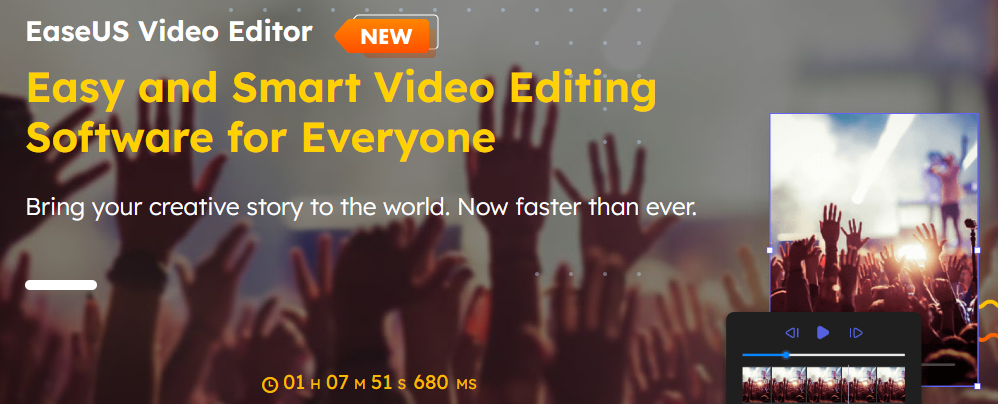
9. EaseUS Video Editor

Windows
EaseUS Video Editor is a user-friendly video editing software that offers basic editing tools and effects.

It allows users to trim, cut, merge, and adjust video clips easily.

EaseUS Video Editor provides features like video transitions, filters, text overlays, and background music.

It supports various video formats and offers options for exporting videos in different resolutions.

Good points about EaseUS Video Editor:

  • User-friendly video editing software with a straightforward interface.
  • Basic editing tools and effects for simple video editing tasks.
  • Support for various video formats and options for exporting videos in different resolutions.

Bad points about EaseUS Video Editor:

  • Limited advanced editing features compared to professional-grade software.
  • May lack some advanced audio editing capabilities.
  • Occasional performance issues reported by users.

10. Filmora 9

Windows, macOS
Filmora 9 is a popular video editing software known for its simplicity and user-friendly interface.

It offers a wide range of editing tools, effects, transitions, and overlays.

Filmora 9 supports 4K video editing, screen recording, and easy sharing options.

It also provides a built-in library of royalty-free music, sound effects, and video elements.

Good points about Filmora 9:

  • Popular video editing software known for its simplicity and user-friendly interface.
  • Wide range of editing tools, effects, transitions, and overlays for creative video editing.
  • Supports 4K video editing, screen recording, and easy sharing options.

Bad points about Filmora 9:

  • Some advanced features may require upgrading to the more expensive versions.
  • Limited scope for complex visual effects and advanced post-production workflows.
  • Occasional performance issues when dealing with large and complex projects.

11. Final Cut Pro X

macOS
Final Cut Pro X is a professional video editing software exclusively available for macOS.

It offers a wide range of advanced editing tools, effects, and transitions.

Final Cut Pro X supports high-quality video formats, 360-degree video editing, and HDR video.

It provides a seamless workflow with Apple’s ecosystem, allowing for efficient editing, audio post-production, and colour grading.

Final Cut Pro X also includes powerful organization and media management features, making it a popular choice among professional video editors.

Good points about Final Cut Pro X:

  • Professional video editing software exclusively available for macOS, offering a seamless workflow within Apple’s ecosystem.
  • Wide range of advanced editing tools, effects, and transitions for creating high-quality videos.
  • Supports high-quality video formats, 360-degree video editing, and HDR video.

Bad points Final Cut Pro X:

  • Limited availability only for macOS, which restricts access for Windows or other operating systems.
  • Higher price point compared to some other video editing software options.
  • Steeper learning curve for beginners, requiring time to master its advanced features.

Final Cut Pro Pricing
Free to try for 90 days
Buy outright: $299

12. HitFilm

Windows, macOS
HitFilm is a powerful video editing and visual effects software.

It combines professional-grade editing tools with advanced visual effects capabilities.

HitFilm offers a range of effects, compositing tools, and 3D animation features.

It allows for seamless integration between editing and visual effects workflows, making it a comprehensive solution for filmmakers and content creators.

Good points about Hitfilm:

  • Powerful video editing and visual effects software, combining professional-grade editing tools with advanced visual effects capabilities.
  • Offers a wide range of effects, compositing tools, and 3D animation features for creating visually stunning videos.
  • Allows seamless integration between editing and visual effects workflows, providing a comprehensive solution for filmmakers and content creators.

Bad points about Hitfilm:

  • Advanced features may require a more powerful computer setup for smooth performance.
  • The learning curve can be steep, especially for users new to visual effects and compositing.
  • The free version has some limitations, with more advanced features available in the paid version.

13. KineMaster

iOS, Android

KineMaster is a professional mobile video editing app with advanced features for iOS and Android OS.

It offers multi-layer video editing, chroma key compositing, and precise control over audio and video elements.

KineMaster provides a wide range of visual effects, transitions, and animation options.

It also supports 4K video editing and offers easy sharing options for social media platforms.

Good points about KineMaster:

  • Professional mobile video editing app with advanced features for multi-layer editing, chroma key compositing, and precise control over audio and video elements.
  • Offers a wide range of visual effects, transitions, and animation options for creating polished videos.
  • Supports 4K video editing and provides easy sharing options for social media platforms.

Bad points about KineMaster:

  • Some advanced features may require a subscription or in-app purchases.
  • The free version includes a watermark on exported videos.
  • Occasional performance issues reported by users, particularly on older or less powerful devices.

14. Lightworks

Windows, macOS, Linux

Lightworks is a professional video editing software available for both Windows and macOS.

It offers a comprehensive set of editing tools, advanced effects, and real-time collaboration features.

Lightworks supports high-resolution video editing, multi-camera editing, and a wide range of file formats.

It has been used in the production of numerous films and television shows.

Good points about Lightworks:

  • Professional video editing software available for both Windows and macOS.
  • Offers a comprehensive set of editing tools, advanced effects, and real-time collaboration features.
  • Supports high-resolution video editing, multi-camera editing, and a wide range of file formats.

Bad points about Lightworks:

  • The free version has some limitations, with more advanced features available in the paid version.
  • The user interface may feel complex for new users, requiring some time to become familiar with its features.
  • Occasional stability issues reported by some users, requiring periodic software updates.

Lightworks Video Editor Pricing

Free
$9.99 per month
$23.99 per month

15. Pinnacle

Windows, macOS

Pinnacle Studio is a popular video editing software that offers a comprehensive set of features and tools for both beginners and advanced users. It provides a user-friendly interface and a range of editing options to create professional-looking videos.

One of the standout features of Pinnacle Studio is its intuitive timeline editing interface, which allows users to easily arrange and edit video clips, add transitions, apply effects, and adjust audio. The software supports multi-camera editing, making it a great choice for users working with footage from multiple angles.

Pinnacle Studio offers a wide range of built-in effects, filters, and transitions to enhance your videos. It also includes a library of royalty-free music and sound effects to add a professional touch to your projects. Additionally, the software provides advanced features like colour grading, motion tracking, and 360-degree video editing, allowing users to create immersive and visually stunning videos.

One of the drawbacks of Pinnacle Studio is that some advanced features may require additional purchases or upgrades to access. While the software is relatively easy to use, beginners may find the learning curve slightly steep compared to other entry-level video editing software.

In conclusion, Pinnacle Studio is a powerful video editing software that offers a wide range of features and tools for creating impressive videos. Whether you’re a beginner or an experienced editor, Pinnacle Studio provides the necessary tools to bring your creative vision to life.

Good Points about Pinnacle Video Editing Software:

  1. Pinnacle Studio features a user-friendly interface that makes it easy for beginners to get started with video editing. The software offers a straightforward timeline-based editing system, intuitive controls, and drag-and-drop functionality, allowing users to quickly arrange and edit their video clips.
  2. Pinnacle Studio provides a comprehensive set of advanced editing features that cater to the needs of more experienced users. It offers multi-camera editing, motion tracking, 360-degree video editing, and keyframe animation capabilities. These features enable users to create professional-looking videos with precise control over effects, transitions, and audio.
  3. Pinnacle Studio includes a vast library of built-in effects, filters, and transitions. Users have access to a wide variety of creative options to enhance their videos and add visual interest. Additionally, the software offers a range of customizable templates and presets, making it easy to achieve professional results without extensive manual editing.

Bad Points about Pinnacle Video Editing Software:

  1. While Pinnacle Studio is designed to be user-friendly, it may have a slightly steep learning curve, especially for beginners who are new to video editing software. The extensive features and advanced capabilities may take some time and practice to master fully.
  2. Pinnacle Studio is primarily designed for Windows operating systems, which limits its availability for users on other platforms such as macOS or Linux. This can be a disadvantage for users who prefer or exclusively work with non-Windows systems.
  3. Pinnacle Studio can be resource-intensive, particularly when working with high-resolution videos or applying complex effects. Users may experience slower performance or longer rendering times, especially if their hardware does not meet the recommended specifications. It’s important to ensure that your computer meets the system requirements to avoid potential performance issues.

It’s worth noting that these points may vary depending on the specific version and release of Pinnacle Studio, as software updates and revisions can address certain drawbacks and improve overall user experience.

Pinnacle Studio Pricing
Free for 15 days
$44.99

16. Movavi

For Windows and Mac
Movavi is a versatile and user-friendly video editing software that caters to both beginners and intermediate users. With its intuitive interface and comprehensive set of features, it allows users to create professional-looking videos with ease.

One of the standout features of Movavi is its wide range of editing tools and effects. It offers essential editing functions such as trimming, cutting, and merging videos, as well as advanced options like chroma keying, picture-in-picture, and slow-motion effects. Users can also enhance their videos with filters, transitions, and text overlays to add creative flair.

Movavi supports a variety of video formats, making it convenient for working with different sources. It also provides a seamless timeline-based editing workflow, allowing users to arrange and organize their video clips effortlessly. Additionally, the software offers a built-in collection of royalty-free music and sound effects, enabling users to enhance their videos with appropriate audio tracks.

Another notable aspect of Movavi is its fast rendering and exporting capabilities. Users can preview their edits in real time and quickly export the final video in various formats or directly upload them to popular social media platforms.

However, Movavi does have a few limitations. Some advanced features, such as 3D editing or motion tracking, are not available in the software. Additionally, while the software provides a decent range of editing tools, it may not have the same level of precision and sophistication as some professional-grade video editing software.

Overall, Movavi is an excellent choice for users looking for user-friendly and feature-rich video editing software. Whether you’re a beginner or an intermediate user, Movavi offers a powerful yet accessible editing platform to bring your creative vision to life.

Good Points about Movavi Video Editing Software:

  1. Movavi Video Editing Software offers a user-friendly interface that is easy to navigate, making it accessible for beginners. The software provides intuitive controls and a simple timeline-based editing system, allowing users to quickly edit and arrange their video clips.
  2. Movavi offers a diverse collection of effects, filters, transitions, and titles that users can apply to their videos. This extensive library allows for creative customization, enabling users to enhance the visual appeal of their videos and make them more engaging.
  3. Movavi Video Editing Software is known for its efficient rendering and exporting capabilities. The software utilizes hardware acceleration technologies to optimize the rendering process, ensuring that users can quickly generate their final videos in various formats and resolutions.

Bad Points about Movavi Video Editing Software:

  1. While Movavi provides a solid set of basic editing tools, it may lack some advanced features that are available in more professional-grade software. Users seeking in-depth control over complex editing techniques or advanced effects may find Movavi’s capabilities to be somewhat limited.
  2. Some users have reported occasional stability issues with Movavi Video Editing Software, such as crashes or freezing during the editing process. While these issues may not be widespread, it is recommended to regularly save projects and ensure that the software is running on a stable system configuration.
  3. Movavi’s audio editing capabilities are relatively basic compared to other video editing software. While users can perform essential tasks like adjusting volume levels and adding background music, they may find the software lacking more advanced audio editing features, such as detailed equalization or noise reduction.

It’s important to note that the specific features, capabilities, and drawbacks may vary depending on the version and edition of Movavi Video Editing Software being used.

Movavi Pricing
Basic $54.95
1-Year $79.95
Video Suite 1 year $99.95

Conclusion:

We are truly spoilt when it comes to video editing on the desktop and on mobile. The software available is relatively inexpensive and does the primary job well. Each video editing software focuses on specific aspects of editing, be it colouring to special effects. The power editors will satisfy the most hungry of editors and are used to create multi-million dollar motion pictures. Compared to ten years ago we are truly living in a golden age of video editing and it only looks to be getting more interesting.

NamePlatformListing
Adobe DesktopPremiere Pro CC
AdobeDesktopPremier Elements 2023
AppleDesktop/MobileApple iMovie
Avid DesktopAvid Media Composer
Corel (Alludo)DesktopVideoStudio 2023
TechsmithDesktopCamtasia Video Editor
PowerDirectorMobileCyberlink Video Editor
Black Magic DesignDesktopDaVinci Resolve 18
EaseUSDesktopEaseUS Video Editor
WondershareDesktopFilmora 9 Video Editor
AppleDesktopFinal Cut Pro X
FXhomeDesktopHitFilm Video Editor
KineMasterMobileKinemaster Video Editor
LWKSDesktopLightworks Video Editor
pinnacleDesktopPinnacle Video Editor
MovaviDesktopMovavi Video Suite

Tesla, the Best marketing campaign in the World and Space

February 7, 2018 By Lyndon Antcliff

Tesla car in space

Tesla car in space.

The images speak for themselves.

SpaceX

Tesla

Tesla Space

What are the beginner mistakes when content marketing?

April 26, 2017 By Lyndon Antcliff


What are some common beginner mistakes in content marketing?

Not understanding the fundamentals and overcomplicating the process

  1. Content marketing is only about two things, communication and persuasion.
  2. Your CM should enable the reader to do two things, save time, and make money. Everything else is fluff.
    You don’t need a third, the above is enough. Now I have saved you time, go make some money.

You don’t need a third, the above is enough. Now I have saved you time, go make some money.

But let’s look at this in more detail.

1.  Creating content for the wrong person

A specific mistake may be that a beginner looks at all the content that is being produced, notes that certain types of content are more common and think that is the type of content to create.

The flip side of that mistake is when a content type is perceived to be ineffective because it is so common. The listicle is a prime example.

Not creating content that works, because the creator has a personal prejudice against that type of content. An example is our friend, “the listicle”. If you work in creating content with a view to drive traffic, you will learn to loathe the listicle. But the hard truth is

NO ONE CARES WHAT YOU THINK

The content is not created for the creator, it is created for the reader

It may be that in your experience you think this type of content is not effective, but that is a different process than thinking, “urgh, I hate listicles, they’re grody to the max.”

The best content creator, in my experience is the one who likes getting under the skin of others, the one who likes to get a rise out of people, the one who needs a reaction to validate their existence. Good content creators are troubled people.

2. Thinking it’s all about the tool

Having a tool means you don’t have to work as hard, it has the promise of saving you time. This is why the idea of the “tool” is very attractive. A blog post that details a list of tools will always work as a type of content, the more comprehensive the list the better, even if most of the list is not read.

This is because each tool highlighted, each description is a little promise that it will save you time and any content that saves you time gets shared, bookmarked and linked to, more than one that doesn’t.

This is probably why we see so much content detailing the many tools available to us, such as 12 Free SEO Tools. A blog post I did recently and drove a nice bit of traffic to this blog.

But you don’t need any tools to do good SEO.

You don’t need tools to create great content.

Yes of course a tool is useful as a mechanical aid to perform a specific task, but excitement over tools is similar to when the DIY nut goes to the store and ends up spending hours going through the specs of the drills when all she needed was a hole.

It’s really about what happens in the brain of the reader at the time they consume the content

We are wired to compare things, to sort things. The SEO mindset puts this on hyperdrive and so when asked to create content will head to the tools. Therefore if you want to attract the SEO to your blog, create plenty of listicles.

The most simple tool and probably the most effective when it comes to creating content is pen and paper.

But that just sounds boring, doesn’t it?

3. Thinking you can’t come up with new ideas

I often come to a point where I have used up all the obvious ideas for content to create.

The solution to the creative process is the one that works for you. It’s about trying a few out before you find one that fits. This is such a common problem with writers and creative artists that there are many ideas out there about how to get to the point where you have a pile of workable ideas.

My personal solution to this problem is this

  1. Change the state of mind. Creating content and coming up with ideas for content are two different things and you should think about them differently, just as the state of mind for writing a first draft is different than editing.
  2. Go for a walk, and change your metabolism. There are studies that prove that walking aids thinking, plus less chance of distraction
  3. Consume fantastic content. No this does not give you permission to buy the DVD Box set of The Walking Dead to watch from the start, just to experience that “Nagen” moment again. It means consuming content that takes you away from the problem and allows your subconscious to work on it, whilst shovelling tasty food at the other end.
  4. Discussing with other human beings. Even though the actual information that another person can tell you may not help you, the act of shifting your brain to one on one, the personal communication mode is enough to help shake the box and allow the ideas to flow.

Whatever works is what works. If the ideas are not flowing, pick a solution you have never used before and see how it works. With a mind to developing your own personal box of solutions.

In conclusion.

There are many mistakes that will be made when a beginner, and don’t let them slow you down when it comes to creating content. Mistakes are there as aids to learning, if no mistakes are being made you are probably not trying hard enough.

At least as a beginner, you won’t have a huge amount of people watching what you do and picking it apart.

Why Quality Content does not get it

March 9, 2017 By Lyndon Antcliff

Emotional content

People share content, love content, devour content because of the emotional reaction they get from it. It’s why polished, visually correct fails all the time. The key to content that works is when it crawls right down inside the brain and awakens something primeval.

I’m going to be writing more on this subject and how to use empathic focus when creating content for marketing.

Next Page »

Primary Sidebar

Recent Posts

  • AI SEO tools review and evaluation September 22, 2026
  • Do you really think BLOGGING is DEAD? July 25, 2024
  • Shopify SEO: A Tasty Guide July 19, 2024
  • Ultimate Guide to Content Writing July 16, 2024
  • Which Are the Most Competitive and Profitable Niches to Write For? July 12, 2024
  • How to Create a Blogging Process Using ChatGPT July 10, 2024
  • A Quick History of Search Engines July 10, 2024
  • What are these Google Updates that people get their Knickers in a twist about? July 9, 2024
  • Can you use ChatGPT for Keyword Research? July 4, 2024
  • 12 Strategies to Get Backlinks: A Comprehensive Guide July 3, 2024

12 Strategies to Get Backlinks: A Comprehensive Guide

Meta

  • Log in
  • Entries feed
  • Comments feed
  • WordPress.org

Footer

Site map

Posthog analytics

Manage Consent
To provide the best experiences, we use technologies like cookies to store and/or access device information. Consenting to these technologies will allow us to process data such as browsing behaviour or unique IDs on this site. Not consenting or withdrawing consent, may adversely affect certain features and functions.
Functional Always active
The technical storage or access is strictly necessary for the legitimate purpose of enabling the use of a specific service explicitly requested by the subscriber or user, or for the sole purpose of carrying out the transmission of a communication over an electronic communications network.
Preferences
The technical storage or access is necessary for the legitimate purpose of storing preferences that are not requested by the subscriber or user.
Statistics
The technical storage or access that is used exclusively for statistical purposes. The technical storage or access that is used exclusively for anonymous statistical purposes. Without a subpoena, voluntary compliance on the part of your Internet Service Provider, or additional records from a third party, information stored or retrieved for this purpose alone cannot usually be used to identify you.
Marketing
The technical storage or access is required to create user profiles to send advertising, or to track the user on a website or across several websites for similar marketing purposes.
  • Manage options
  • Manage services
  • Manage {vendor_count} vendors
  • Read more about these purposes
View preferences
  • {title}
  • {title}
  • {title}